
Zoom Monitoring with Tripwire Configuration Manager

Last month, we covered how Tripwire Configuration Manager can audit your cloud service provider accounts like AWS, Azure, GCP, and other cloud-based services such as Salesforce. In this blog, we will continue our dive into cloud services and show how Tripwire Configuration Manager can monitor your Zoom environments.
Zoom is a popular video telecommunications platform that has seen tremendous growth in the past few years. Using best practice security controls is important within Zoom as many organizations utilize the platform for sharing confidential corporate or personal health information.
Using the Center for Internet Security (CIS) guidelines for proper Zoom configuration, Tripwire has created a security policy within Configuration Manager that can check settings in your Zoom account for potential risks or exposures. Included with Zoom support comes over 90 automated remediations that allow Configuration Manager users to fix common Zoom security issues with a single click.
In this blog, we will go over the basics of scanning a Zoom account with Tripwire Configuration Manager. As before, most of the steps shown will be similar across the different support cloud account types and will be familiar to users of Configuration Manager. While the specific configuration details may vary, the general workflow will be the same regardless of whether you are scanning Amazon Web Services, Zoom, or any other supported cloud service.
If you aren’t already a Configuration Manager user, you can start with a Configuration Manager free trial to follow along.
Zoom Monitoring
Begin by creating a new cloud account entry within Configuration Manager. Find the Cloud Accounts section beneath the Environment left-hand navigation menu and select the New button.
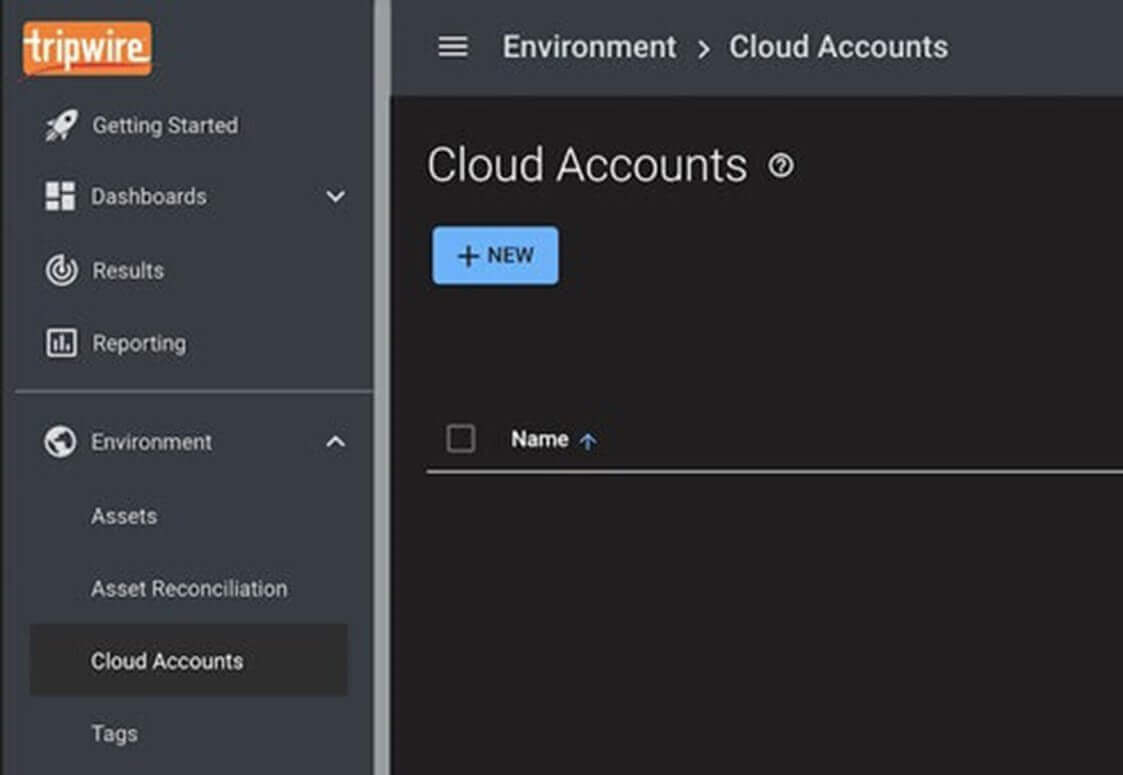
Next, select Zoom in the Choose a Cloud Provider input field to expand the configuration options available for the Zoom account type. You may enter an account name and description of your choosing.

Click Add to Zoom in order to authorize Tripwire Configuration Manager to access your Zoom account. The Zoom website will open, and after logging in if needed, you will be presented with the OAuth authorization form. Choose Authorize to grant Configuration Manager access to query your Zoom account for configuration data.

Steps for setting up the connection between Tripwire Configuration Manager and your Zoom account as well as other configuration and usage information is also provided in the getting started help documentation. This documentation can be found in the left-hand navigation menu within Configuration Manager.

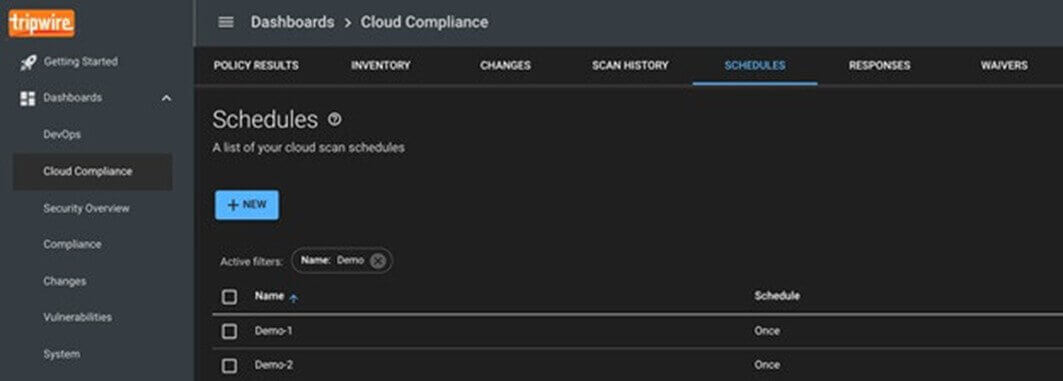
Once authorization is granted, you will need to create a schedule to initiate scans of Zoom on your behalf. Scheduled scans can be performed in a variety of time intervals and also on demand. You can create and edit scheduled scans on the Schedules tab of the Cloud Compliance dashboard.
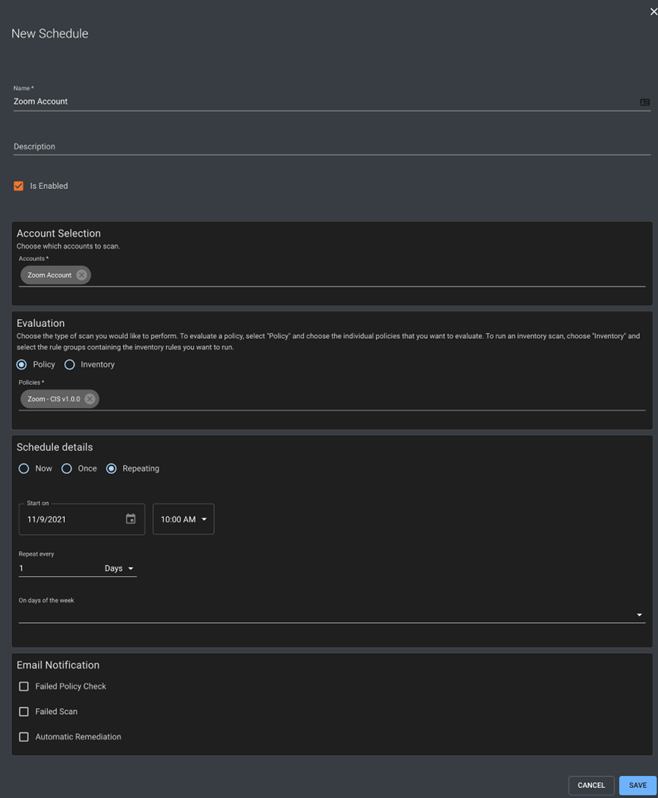
On the new schedule page, you can choose Cloud Accounts to be scanned, which policies to evaluate against, and the repeating nature of the scan.
In this case, choose the newly created Zoom account in the Account Selection section and the Salesforce – CIS v1.0.9 policy in the Evaluation section. You can choose to scan just once or on a recurring schedule.
Ensure the “Is Enabled” selection is checked and save your new schedule.
If you are ready to scan now, you can also select the schedule on the Schedules tab and choose Start to run immediately. Otherwise, you can simply await the scheduled time for the scan to run.
When the scan completes, the Cloud Compliance dashboard will show the results of your Zoom account evaluated against the Center for Internet Security recommended settings for Zoom.

Automatic remediation can be performed by selecting a failing compliance test. In the following example, Tripwire Configuration Manager can automatically enable automatic recording on your Zoom account following the CIS guidelines. You have the option to Run Fix Now or to have Configuration Manager enforce the setting if it ever reverts in the future. Read more about Configuration Manager automatic remediation.

This fast and simple setup can secure your Zoom account from dangerous security misconfigurations. Try Tripwire Configuration Manager free for 30 days and discover how Tripwire can keep your cloud accounts compliant with best practice configurations by automatically remediating and enforcing common secure configurations.
More about Tripwire Configuration Manager
Secure Your Configurations with Tripwire’s Configuration Manager
Salesforce Monitoring with Tripwire Configuration Manager
Getting Started with a Tripwire Configuration Manager Free Trial
Cloud Auto-Remediation and Enforcement with Tripwire Configuration Manager
The post ” Zoom Monitoring with Tripwire Configuration Manager” appeared first on TripWire
Source:TripWire – Ben Layer